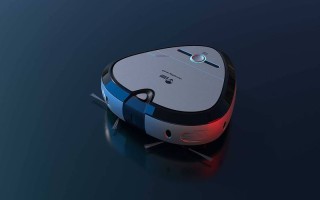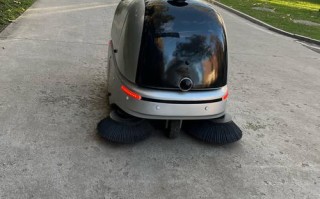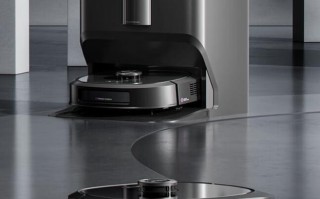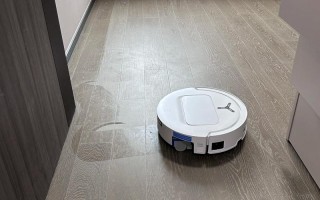
- 环境: 一个由网格组成的房间,有障碍物(墙壁)和需要清扫的区域。
- 状态: 机器人的位置、方向以及房间的清洁状态。
- 行为: 机器人如何移动、如何感知环境以及如何决策。
我们将使用 Python 和 numpy 库来实现这个模拟,因为它非常适合处理网格和矩阵。
(图片来源网络,侵删)
第1步:定义环境和机器人
我们需要一个表示房间的二维数组,以及一个表示机器人类。
环境定义:
0: 空地(需要清扫)1: 墙壁(障碍物)2: 已清扫区域
机器人类定义:
x,y: 当前坐标direction: 当前朝向 ( '上', '右', '下', '左')room_map: 对环境的引用,以便可以更新地图状态
第2步:实现机器人的核心行为
机器人需要具备以下能力:
(图片来源网络,侵删)
- 移动: 根据当前方向前进或后退。
- 转向: 顺时针或逆时针旋转90度。
- 感知: 检查前方的格子是墙壁、空地还是已清扫区。
- 清扫: 将当前所在的位置标记为“已清扫”。
第3步:实现决策逻辑(核心算法)
这是模拟的“大脑”,一个简单的扫地机器人通常遵循以下逻辑:
“沿墙走”算法 (Wall-Following Algorithm) 这是一个非常经典且简单的算法,机器人会始终保持在墙壁的同一侧(比如右侧)移动。
算法流程:
- 初始化: 机器人从起始点开始,朝一个方向(向右)。
- 循环: a. 清扫当前位置。 b. 尝试右转,然后尝试前进一步。 c. b 成功(前方不是墙),则回到 b,这确保了机器人会一直沿着墙的右侧转圈。 d. b 失败(前方是墙),则 尝试直行。 e. d 也失败,则 尝试左转。 f. e 也失败,说明机器人被墙困住了,掉头(转180度)。
这个算法虽然简单,但对于没有地图、只能感知局部环境的机器人来说,非常有效。
(图片来源网络,侵删)
第4步:可视化
我们将使用 matplotlib 库来实时打印机器人的移动和清扫过程,让模拟过程更直观。
完整代码实现
下面是完整的、可运行的 Python 代码。
import numpy as np
import time
import matplotlib.pyplot as plt
import matplotlib.patches as patches
# --- 1. 定义环境 ---
# 0: 空地, 1: 墙壁, 2: 已清扫
room_map = np.array([
    [1, 1, 1, 1, 1, 1, 1, 1, 1, 1],
    [1, 0, 0, 0, 0, 0, 0, 0, 0, 1],
    [1, 0, 1, 1, 0, 1, 1, 1, 0, 1],
    [1, 0, 1, 0, 0, 0, 0, 0, 0, 1],
    [1, 0, 1, 0, 1, 1, 1, 1, 0, 1],
    [1, 0, 0, 0, 0, 0, 0, 1, 0, 1],
    [1, 0, 1, 1, 1, 1, 0, 1, 0, 1],
    [1, 0, 0, 0, 0, 0, 0, 0, 0, 1],
    [1, 0, 0, 0, 0, 0, 0, 0, 0, 1],
    [1, 1, 1, 1, 1, 1, 1, 1, 1, 1]
])
# --- 2. 定义机器人类 ---
class Robot:
    def __init__(self, x, y, direction, room_map):
        self.x = x
        self.y = y
        self.direction = direction  # 'up', 'right', 'down', 'left'
        self.room_map = room_map
        self.moves = 0
    def clean(self):
        """清扫当前位置"""
        if self.room_map[self.y, self.x] == 0:
            self.room_map[self.y, self.x] = 2
            print(f"清扫位置: ({self.x}, {self.y})")
    def move_forward(self):
        """根据当前方向前进一格"""
        dx, dy = 0, 0
        if self.direction == 'up':
            dy = -1
        elif self.direction == 'right':
            dx = 1
        elif self.direction == 'down':
            dy = 1
        elif self.direction == 'left':
            dx = -1
        new_x, new_y = self.x + dx, self.y + dy
        # 检查新位置是否可走(不是墙)
        if self.room_map[new_y, new_x] != 1:
            self.x, self.y = new_x, new_y
            self.moves += 1
            return True
        return False
    def turn_right(self):
        """右转90度"""
        directions = ['up', 'right', 'down', 'left']
        idx = directions.index(self.direction)
        self.direction = directions[(idx + 1) % 4]
        self.moves += 1
    def turn_left(self):
        """左转90度"""
        directions = ['up', 'right', 'down', 'left']
        idx = directions.index(self.direction)
        self.direction = directions[(idx - 1) % 4]
        self.moves += 1
    def turn_around(self):
        """掉头(转180度)"""
        self.turn_right()
        self.turn_right()
    def sense_front(self):
        """感知前方是什么"""
        dx, dy = 0, 0
        if self.direction == 'up':
            dy = -1
        elif self.direction == 'right':
            dx = 1
        elif self.direction == 'down':
            dy = 1
        elif self.direction == 'left':
            dx = -1
        front_x, front_y = self.x + dx, self.y + dy
        return self.room_map[front_y, front_x]
    def display_status(self):
        """打印机器人当前状态"""
        print(f"--- 机器人状态 ---")
        print(f"位置: ({self.x}, {self.y})")
        print(f"方向: {self.direction}")
        print(f"总移动步数: {self.moves}")
        print("-----------------")
# --- 3. 决策逻辑 ---
def run_simulation(robot, max_steps=1000):
    """运行模拟"""
    plt.ion() # 开启交互模式
    fig, ax = plt.subplots(figsize=(8, 8))
    for _ in range(max_steps):
        # 清理画布
        ax.clear()
        # 绘制地图
        ax.imshow(robot.room_map, cmap='viridis', alpha=0.7)
        # 绘制机器人
        robot_circle = patches.Circle((robot.x, robot.y), 0.3, color='red', zorder=10)
        ax.add_patch(robot_circle)
        # 绘制机器人方向指示器
        arrow_length = 0.5
        if robot.direction == 'up':
            dx, dy = 0, -arrow_length
        elif robot.direction == 'right':
            dx, dy = arrow_length, 0
        elif robot.direction == 'down':
            dx, dy = 0, arrow_length
        elif robot.direction == 'left':
            dx, dy = -arrow_length, 0
        ax.arrow(robot.x, robot.y, dx, dy, head_width=0.2, head_length=0.1, fc='yellow', ec='yellow', zorder=11)
        # 设置坐标轴
        ax.set_xlim(-0.5, robot.room_map.shape[1] - 0.5)
        ax.set_ylim(-0.5, robot.room_map.shape[0] - 0.5)
        ax.set_xticks(np.arange(-0.5, robot.room_map.shape[1], 1), minor=True)
        ax.set_yticks(np.arange(-0.5, robot.room_map.shape[0], 1), minor=True)
        ax.grid(which="minor", color="gray", linestyle='-', linewidth=0.5)
        ax.set_title(f"扫地机器人模拟 - 步数: {robot.moves}")
        ax.invert_yaxis() # 让(0,0)在左上角,更像屏幕坐标
        plt.draw()
        plt.pause(0.2) # 暂停0.2秒,以便观察
        # 核心决策逻辑 (沿墙走算法)
        robot.clean()
        # 1. 尝试右转并前进
        robot.turn_right()
        if robot.move_forward():
            continue # 成功则进入下一轮循环
        # 2. 如果失败,尝试直行
        robot.turn_left() # 撤销上一次的右转
        if robot.move_forward():
            continue
        # 3. 如果失败,尝试左转
        robot.turn_left()
        if robot.move_forward():
            continue
        # 4. 如果失败,说明被堵住了,掉头
        robot.turn_around()
        # 如果掉头后也无法移动(理论上不应该发生,除非在角落),则结束
        if not robot.move_forward():
            print("机器人被困住了!")
            break
    plt.ioff() # 关闭交互模式
    plt.show()
# --- 4. 主程序 ---
if __name__ == "__main__":
    # 找到一个空的起始位置
    start_pos = np.argwhere(room_map == 0)
    start_x, start_y = start_pos[0] # 取第一个空地
    # 创建机器人实例
    my_robot = Robot(x=start_x, y=start_y, direction='right', room_map=room_map.copy())
    print("开始扫地机器人模拟...")
    print("地图: 0=空地, 1=墙壁, 2=已清扫")
    print("红色圆圈是机器人,黄色箭头是朝向。")
    # 运行模拟
    run_simulation(my_robot, max_steps=500)
    print("\n模拟结束!")
    my_robot.display_status()
    print("最终地图状态:")
    print(my_robot.room_map)
如何运行和观察
-
确保安装了库:
pip install numpy matplotlib
-
保存代码: 将上面的代码保存为
robot_simulation.py文件。 -
运行:
python robot_simulation.py
-
观察:
- 你会看到一个弹出的窗口,显示房间的俯视图。
- 黄色格子是墙壁。
- 深色格子是还未清扫的空地。
- 亮色格子是机器人已经清扫过的区域。
- 红色圆圈代表机器人本身。
- 黄色箭头指示了机器人的当前朝向。
- 你会看到机器人按照“沿墙走”的算法,在房间里移动并清扫,直到达到最大步数或被困住。
总结与扩展
这个简单的模拟展示了扫地机器人的基本工作原理,真实的扫地机器人要复杂得多,但核心思想类似:
- 传感器: 使用红外、激光雷达、超声波等传感器来感知墙壁、悬崖和障碍物。
- 更复杂的算法: 更高级的机器人会使用“随机覆盖”或“记忆地图”算法,以避免重复清扫,提高覆盖率。
- 路径规划: 在有地图的情况下,会进行全局或局部路径规划,以最高效的方式清扫整个区域。
- 充电: 当电量低时,会自动返回充电座。
你可以尝试修改 room_map 来创建不同的房间布局,或者修改机器人的决策逻辑,看看会发生什么,你可以让机器人随机选择方向,而不是遵循“沿墙走”的规则。
标签: 扫地机器人模拟路径算法 扫地机器人模拟清洁逻辑 扫地机器人模拟避障原理
版权声明:除非特别标注,否则均为本站原创文章,转载时请以链接形式注明文章出处。